Remove a substitution
The action removes a previously added substitution. It can only remove a substitution created with the Add a substitution action.
Basic configuration
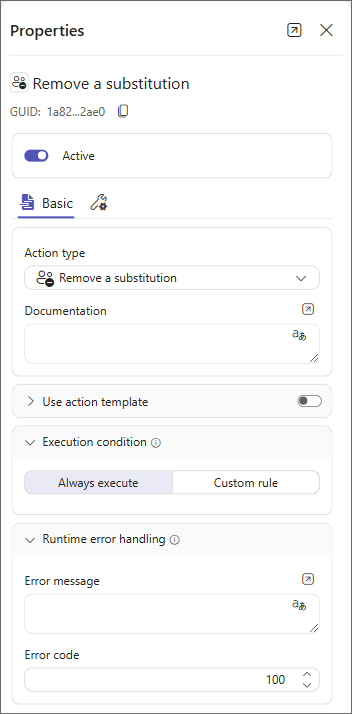
The Basic tab of the Properties panel contains settings common to every action in an automation: the Active toggle, the Action type field, the Documentation field, the Use action template toggle (when enabled, the action takes its configuration from the selected action template defined in the process), the Execution condition section (determines whether the action always runs or only when a custom rule is met), and the Runtime error handling section (the message and numeric error code returned when the action fails to execute). These settings are not unique to the Remove a substitution action, so they are described in detail in the Actions chapter.
Advanced configuration
The Advanced tab contains one section specific to this action.
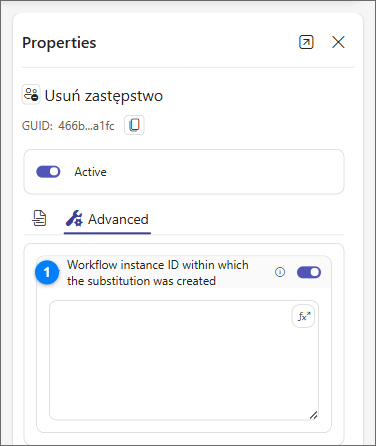
1. Workflow instance ID within which the substitution was created
The section is collapsible and has a toggle in its header, which is off by default. Once the toggle is turned on, a business rule is defined that must return the ID of the instance within which the substitution being removed was created (that is, the instance on which the Add a substitution action was previously executed). The action can only remove substitutions that were created with the Add a substitution action — it does not remove substitutions added in any other way.
Examples of how to use the action are available in the article The "Add/Remove a substitution" action.