Data sources
The Data sources node contains all data sources defined in the system. A data source is a global definition – once configured, it can be used by many applications and processes, e.g. in choice form fields, reports, or actions. A change to the data source configuration is applied everywhere the source is used.
Data sources list
Data sources are grouped by type. To display the sources of a given type, expand its group. For each source, its name and the Related applications column are shown, indicating the applications in which the source is used.
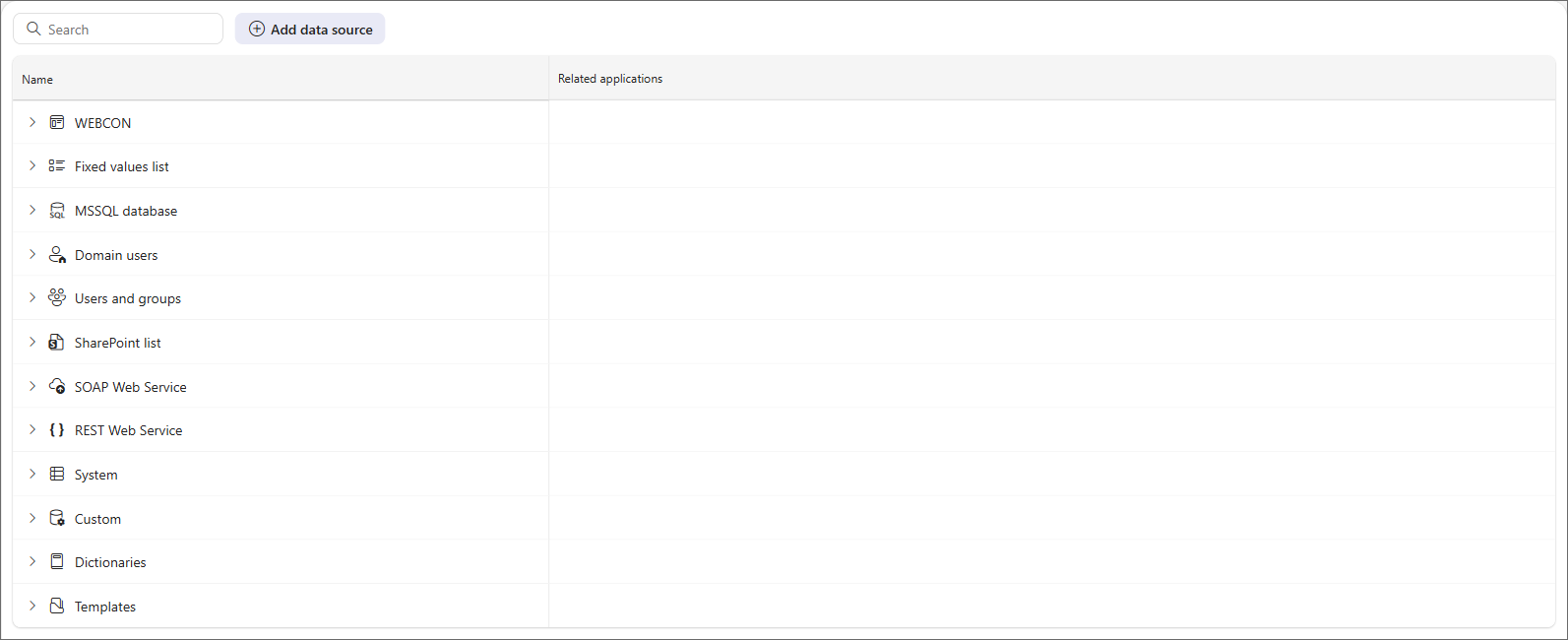
The list contains the following groups: WEBCON, Fixed values list, MSSQL database, Domain users, Users and groups, SharePoint list, SOAP Web Service, REST Web Service, System, Custom, Dictionaries, and Templates.
A new data source is added with the Add data source button, and the Search field lets you find a source by name.
Sharing a data source
Although a data source is defined globally, only the applications it has been shared with can use it. The applications that use the source are specified in the Shared in applications section of the source configuration – this is also where the source can be marked as public, i.e. available to all applications in the system. The source configuration can be edited by its owners and by system administrators.
Data source configuration – including sharing it in applications and specifying its owners – is described in the WEBCON data source article. SQL-based sources are described in the MSSQL data source article.