Business entities
The Business entities node lets you define the business entities (companies) supported in the WEBCON system. Business entities are global definitions – they are available in all processes, and the user selects the business entity in which a workflow instance is registered when starting it. Who can register instances in a given business entity is determined by the permissions configured in the business entity. If no permissions have been configured, the user can register an instance in any business entity.
Business entities list
The list presents all business entities defined in the system together with their basic data: Name, Tax ID, CRC, Phone, Description, Full name, and Address. The list can be sorted by clicking a column header.
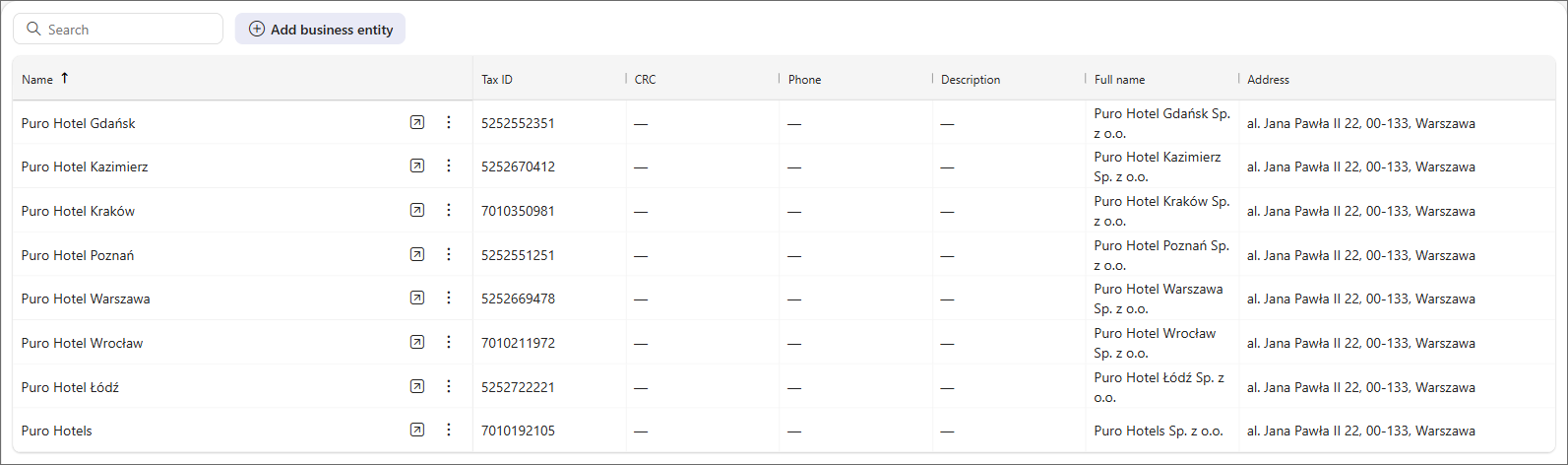
A new business entity is added with the Add business entity button, and the Search field lets you find a business entity on the list. The Open configuration in full view icon next to the business entity name opens its configuration. The business entity Options menu (⋮) contains the Open configuration in full view, Add business entity, and Delete business entity commands.
Business entity configuration
The business entity configuration is divided into the Basic section (with the Full name and Full address subsections) and the Permissions section. The header shows the business entity name and its GUID with a button that copies it to the clipboard. The structure tree on the left lets you quickly go to the selected section.
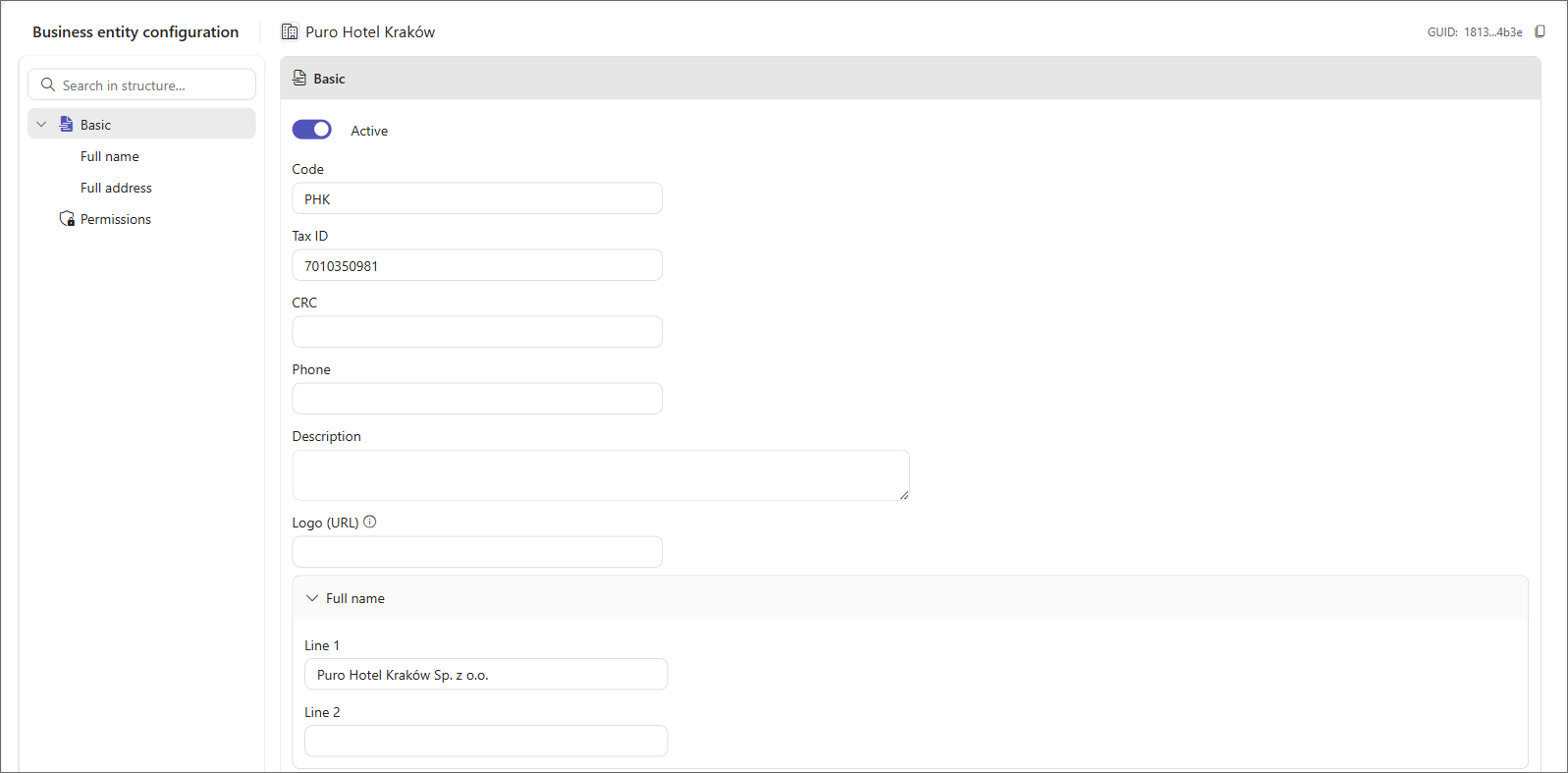
Basic
| Field | Description |
|---|---|
| Active | A switch that determines whether the business entity is active and available for selection. |
| Code | A short code of the business entity. |
| Tax ID | The tax identification number of the business entity. |
| CRC | The business entity's statistical (REGON) number. |
| Phone | The phone number of the business entity. |
| Description | An additional description of the business entity. |
| Logo (URL) | A direct URL to the image to be used as the business entity logo. |
In the Full name subsection you enter the full name of the business entity (the Line 1 and Line 2 fields), and in the Full address subsection – its address (the Line 1, Line 2, and Line 3 fields). This data is presented on the business entities list in the Full name and Address columns.
Permissions
This section lets you specify the users and groups that have permissions to the business entity.
| Field | Description |
|---|---|
| Default business entity for | Users and groups for whom the business entity is the default one. Once any user is added, the system starts evaluating permissions in the context of business entities – so all system users should be consistently assigned to business entities. Otherwise, users without an assigned business entity will not see some of the instances. |
| Additional business entity for | Users and groups for whom the business entity will be added to the list of business entities available when starting a workflow instance. |
Additional information on the multiple business entities functionality can be found in the article Wielospółkowość (in Polish) available on the technical blog.