Relative attachments
The Relative attachments column lets you add related attachments to Item List elements.
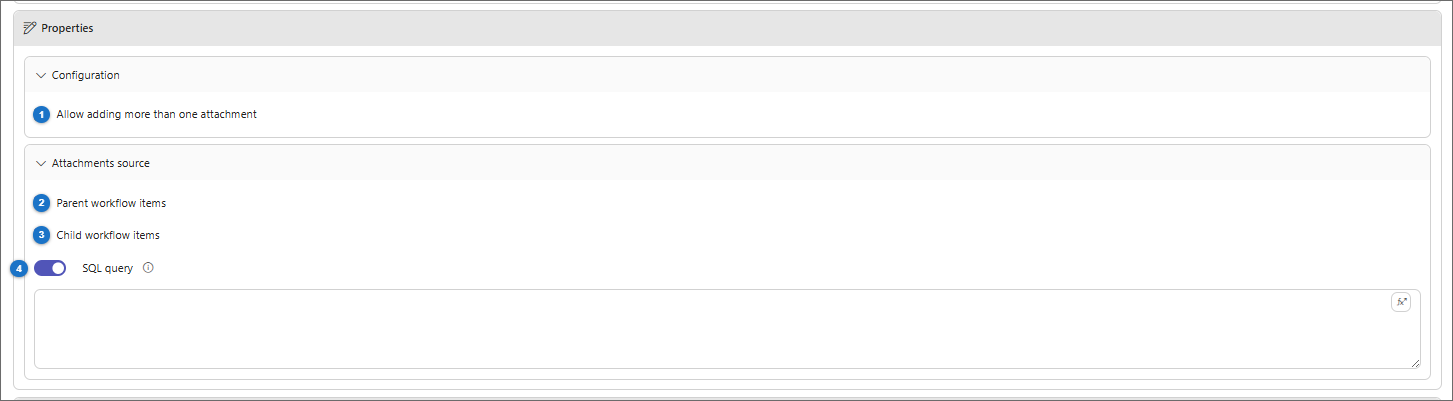
1. Allow adding more than one attachment
Selecting the checkbox lets you add more than one attachment to an Item List element.
2. Attachments source
Lets you choose where the attachments shown in the column are retrieved from – the options can be combined freely.
| Option | Description |
|---|---|
| Parent workflow items | Attachments retrieved from parent items in the workflow. |
| Child workflow items | Attachments retrieved from child items in the workflow. |
| SQL query | Attachments returned by the query entered in the SQL query field. |
3. SQL query
Active once the SQL query switch is turned on – the query must return a column named ATT_ID containing the ID of the attachment to display. It can optionally also return ElementName (a description of the item the attachment belongs to – the signature by default) and Category (a description of the attachment's category – the category name by default). Example query: select 1 as ATT_ID.