Integer number
The Integer number form field allows you to display and edit integer numbers on the form.
Properties
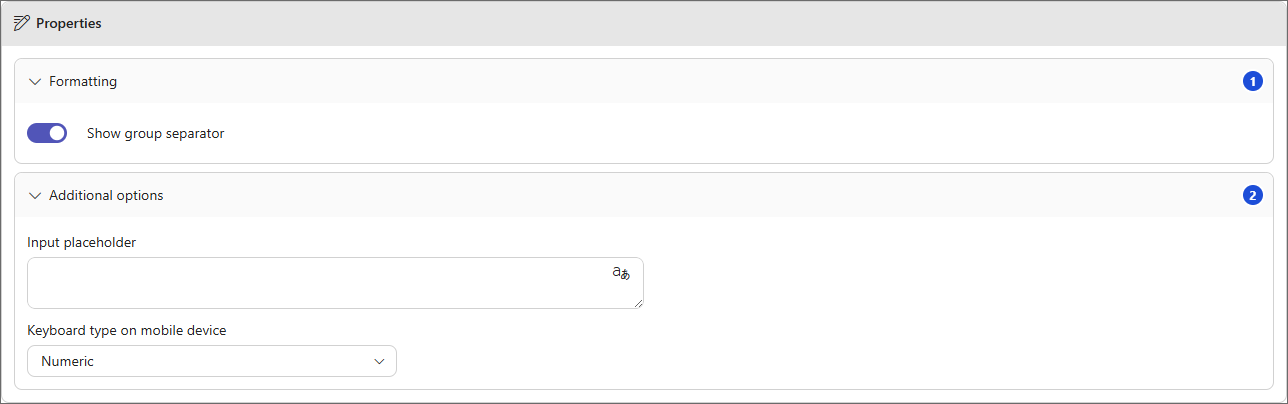
1. Formatting
- Show group separator – when checked (checked by default), integer numbers are displayed with a thousands separator in Chart report views and in form fields that can show data from other form fields (Data grid, Data row, Chart) and from the BPS internal view data source. Similar formatting of the field's value is possible for the cells of tabular report views, in the summary row of an Item list, in the Filter panel, on drop-down lists from which the values of a Choice field are selected, on task tiles, Dashboards, as well as in Email notifications and files generated via selected actions.
2. Additional options
- Input placeholder – lets you enter static hint text displayed on the form as placeholder text inside the field when its value is empty.
- Keyboard type on mobile device – lets you select the input mode, which directly affects the type of keyboard shown while editing the field's value on devices with an on-screen keyboard (including mobile devices). The on-screen keyboard type depends on the specific device and operating system displaying the form. Therefore, when changing this parameter, consider the possibility of inconsistent behavior of the same field across different devices. For the Integer number field, the default value is Numeric; the Text and Phone number options are also available.
Usage example
