Local attachments
The Local attachments column lets you add local attachments to Item List elements.
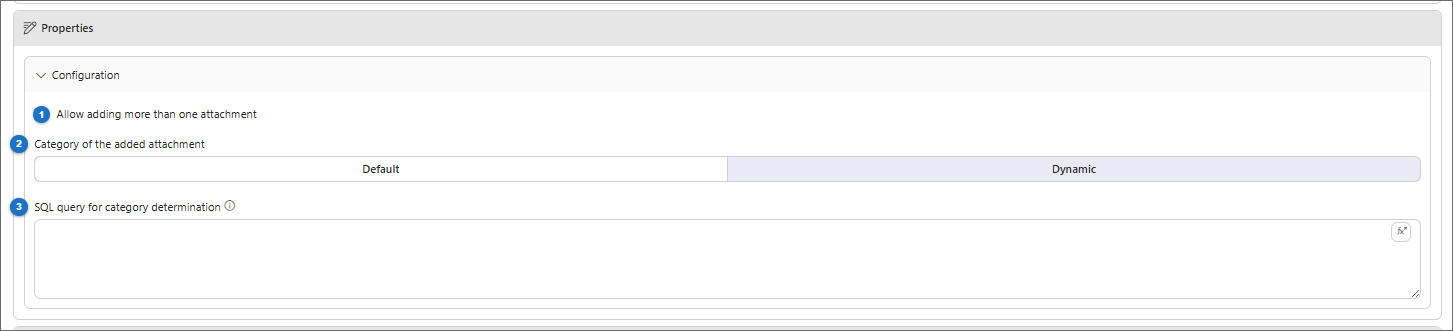
1. Allow adding more than one attachment
Selecting the checkbox lets you add more than one attachment to an Item List element.
2. Category of the added attachment
Lets you choose how the category the added attachment is assigned to is determined.
| Option | Description |
|---|---|
| Default | The attachment is added to the default category. |
| Dynamic | The category is determined based on the query entered in the SQL query for category determination field. |
3. SQL query for category determination
Active once Dynamic is selected – lets you enter a query that returns the category the attachment should be added to. The category can be returned in any format (ID, name, or ID#name) – the query result is matched against an existing category, and if no match is found, the result is entered as the attachment's category. Example query: select 'default'.