Fixed value list
A Fixed values list data source lets you manually define your own fixed list of items directly in Designer Studio — with no need to point to a connection to an external database or write a SQL query, unlike an MSSQL database source.

The structure tree on the left lets you jump to each section: Basic, Values list, Shared in applications, and Data source owners.
Basic

The Basic section contains:
- Data source type — the data source type, chosen once when the data source is first created (in this case Fixed values list). Once the data source exists, this field becomes read-only — its type cannot be changed afterwards.
- Description — a free-text description entered by the user, making the data source easier to recognize in the data source list.
Values list
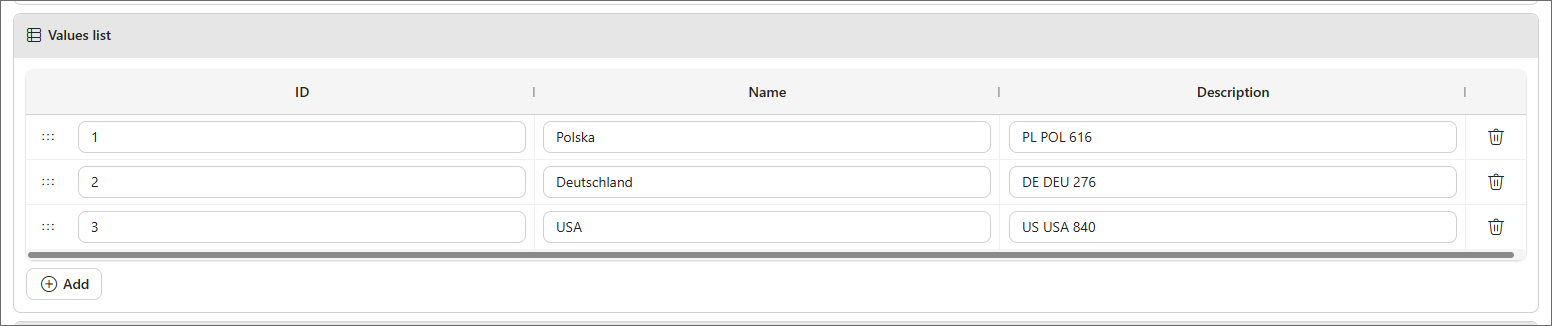
The Values list section holds a table where you manually define the items returned by the data source. Each row represents one item and consists of three fields:
| Column | Meaning |
|---|---|
| ID | The item's identifier. |
| Name | The item's name. |
| Description | The item's description. |
All three fields are fully editable free-text fields. The Add button appends a new, empty row at the end of the list, pre-filling the ID field with the next sequential number as a suggestion — this suggested value can be freely changed. Each row can be removed using the trash icon on the right, and rows can be reordered by dragging them by the handle on the left.
Shared in applications
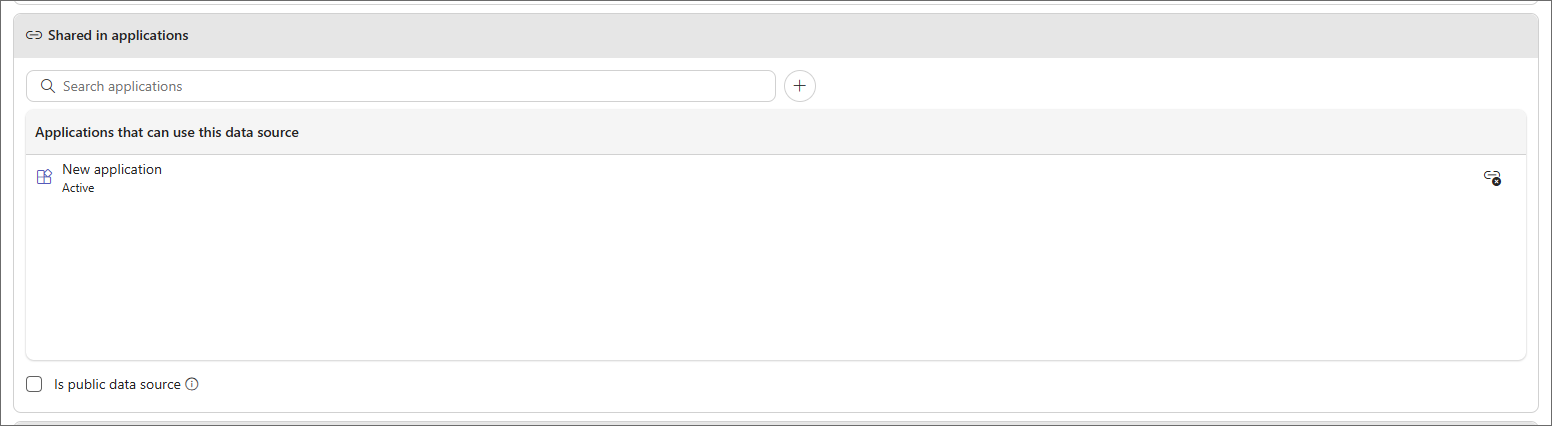
The Shared in applications section shows which applications currently use this data source. The Search applications field together with the + button lets you link the data source to another application; the Applications that can use this data source table lists the applications already linked to it, along with their status and an icon for detaching the link.
The Is public data source checkbox at the bottom of this section makes the data source available to every application in the system, so it can be used by processes running in any application — without having to link it to each one individually.
Data source owners

The Data source owners field defines which users are allowed to edit the data source's configuration and share it with further applications. Other Designer Studio users — who are neither owners of the data source nor system administrators — can still use the data source in applications it's shared with, but cannot edit its configuration.