Custom data source
A Custom data source lets you retrieve data in a non-standard way. The way data is retrieved is defined by an SDK add-on — .NET code prepared by a developer and installed in the system. The data source points to the add-on and passes its settings to it, and the data returned by the add-on can be used in the same way as the data of other sources, for example in choice fields on a form.
The structure tree on the left lets you jump to each section: Basic, Personal data, Add-on configuration (only once an add-on is selected), Shared in applications, and Data source owners.
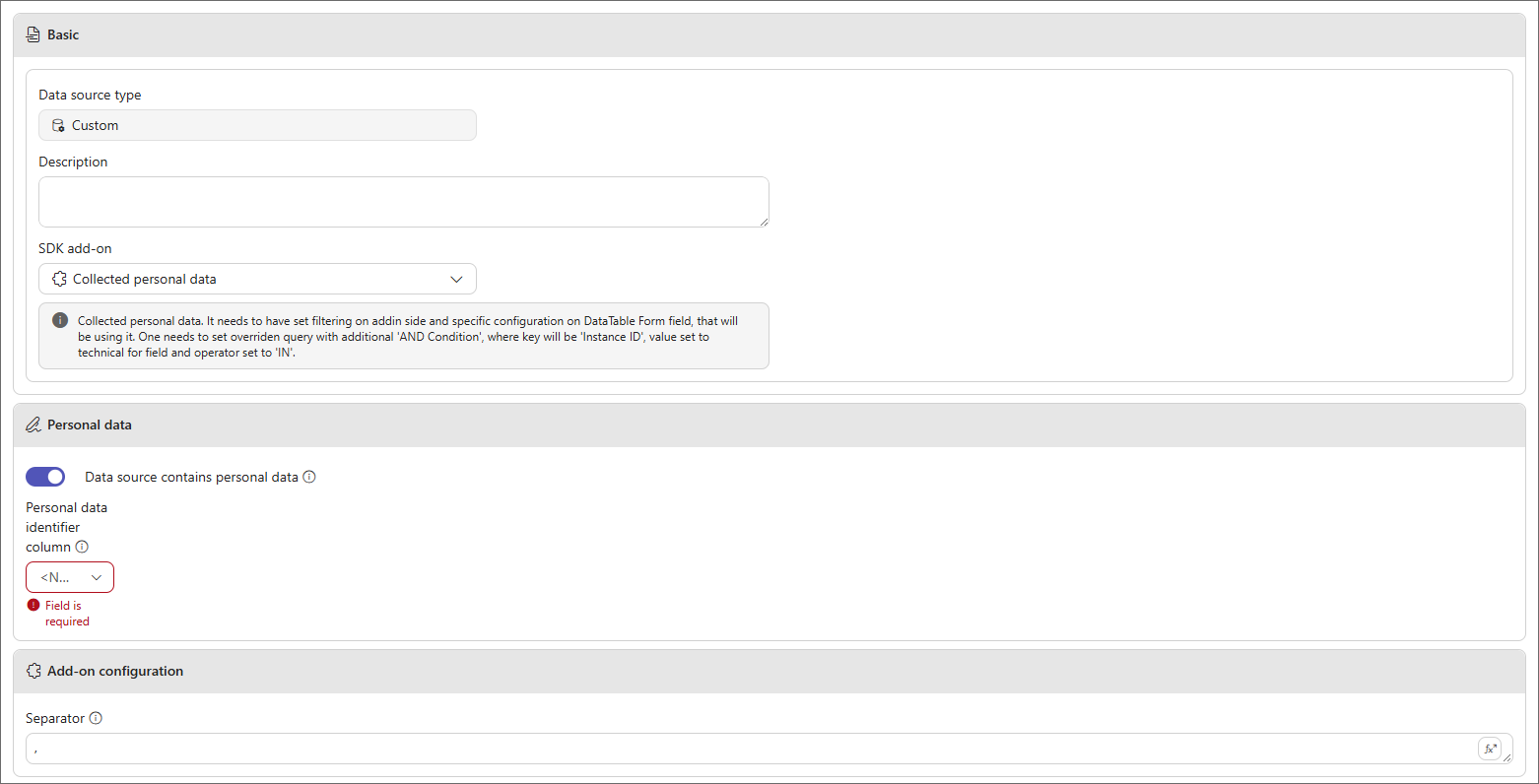
Basic
The Basic section contains:
- Data source type — the data source type, chosen once when the data source is first created (in this case Custom). Once the data source exists, this field becomes read-only — its type cannot be changed afterwards.
- Description — a free-text description entered by the user, making the data source easier to recognize in the data source list.
- SDK add-on — the add-on that defines how data is retrieved. When you expand the field, it lists the add-ons installed in the system, grouped by add-on package; the Search... field lets you narrow down the list. The field is required — until an add-on is selected, it shows the text Select add-on, and the Field is required message is shown below it.
Once an add-on is selected, its description, written by the add-on's author, is shown below the field. The description may contain additional requirements, for example how to configure the form field that uses the data source.
Personal data
The Personal data section lets you designate the data source as a source of personal data for other processes:
- Data source contains personal data — a switch that marks the current source as a source of personal data.
- Personal data identifier column — a field displayed once the switch is turned on, and required to complete the configuration; until a value is selected, the Field is required message is shown below the field. It lets you choose the column of the source that will serve as the unique identifier of a person.
These settings work the same way as for the MSSQL data source.
Add-on configuration
The Add-on configuration section appears only after an add-on is selected in the SDK add-on field. Until then, the section is missing both from the page and from the structure tree on the left, and no add-on description is shown below the SDK add-on field. What the section looks like depends on the selected add-on — the fields of the section, their descriptions (available under the information icon next to the field name), and their default values are defined by the add-on's author. When you change the add-on, the content of the section is replaced with the fields of the new add-on.
In the example above, the Collected personal data add-on provides a single text field, Separator. Other add-ons can display more fields of various kinds, for example:
- text fields with the fx icon, which opens the expression editor and lets you use dynamic values,
- checkboxes,
- drop-down lists with values to choose from.
Check the add-on's description or its documentation for the exact meaning of each field.
Shared in applications
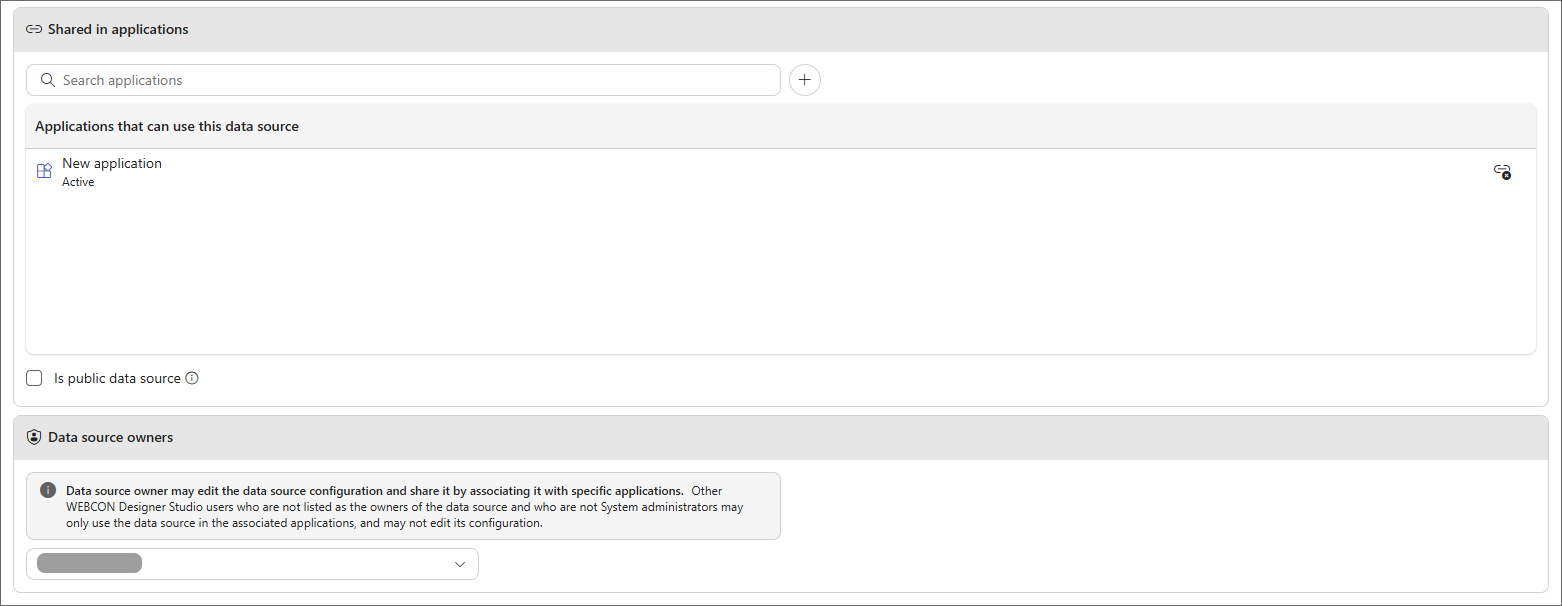
The Shared in applications section shows which applications currently use this data source. The Search applications field together with the Attach to application button lets you link the data source to another application; the Applications that can use this data source table lists the applications already linked to it (in the example above, New application), along with their status and an icon for detaching the link.
The Is public data source checkbox at the bottom of this section makes the data source available to every application in the system, so it can be used by processes running in any application — without having to link it to each one individually.
Data source owners
The Data source owners field defines which users are allowed to edit the data source's configuration and share it with further applications. Other Designer Studio users — who are neither owners of the data source nor system administrators — can still use the data source in applications it's shared with, but cannot edit its configuration.