Oracle connection
A connection defines reusable access to an external Oracle database. Any number of data source definitions can use the same connection — updating the connection automatically affects every data source built on top of it. Environments (DEV/TEST/PROD) and sharing work the same way as for the MSSQL connection. The connection is used by the Oracle data source.

The structure tree on the left lets you jump to each section: Basic, Common, DEV, TEST, PROD, Shared in applications, and Connection owners.
Basic
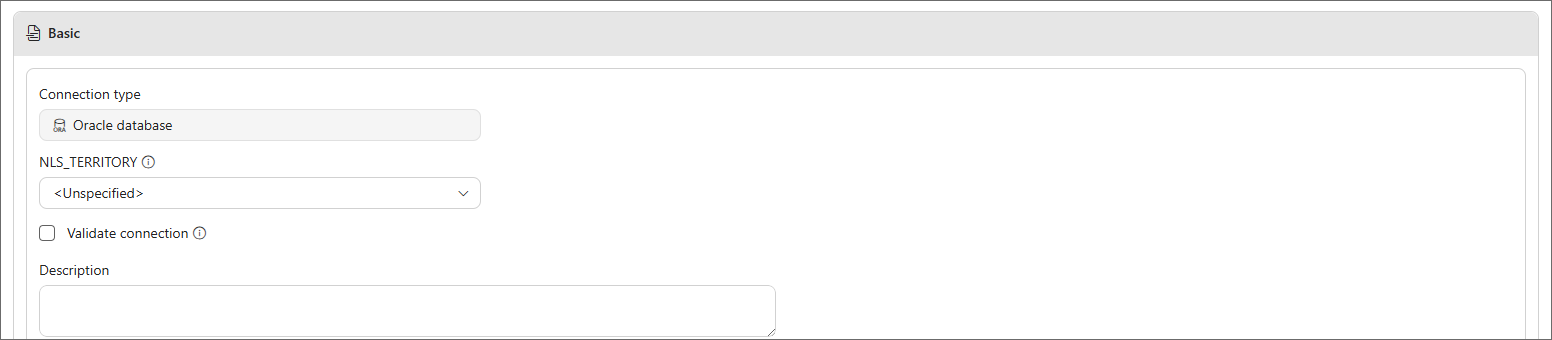
The Basic section contains:
- Connection type — the connection type, chosen once when the connection is first created (in this case Oracle database). Once the connection exists, this field becomes read-only — its type cannot be changed afterwards.
- NLS_TERRITORY — in most cases, defining this parameter is not needed. Explicitly setting NLS_TERRITORY for each session with the Oracle database server might be necessary if the locale of the WEBCON server is different from the NLS_TERRITORY parameter set by the Oracle server at database or instance level. The field accepts <Unspecified> or one of the Oracle territory names available in the list (e.g. AUSTRIA, BRAZIL, CANADA).
- Validate connection — a checkbox; when it is selected, each connection retrieved from the connection pool is verified to be valid before it is used. This increases reliability at the expense of performance.
- Description — a free-text description entered by the user, making the connection easier to recognize in the connection list.
Common
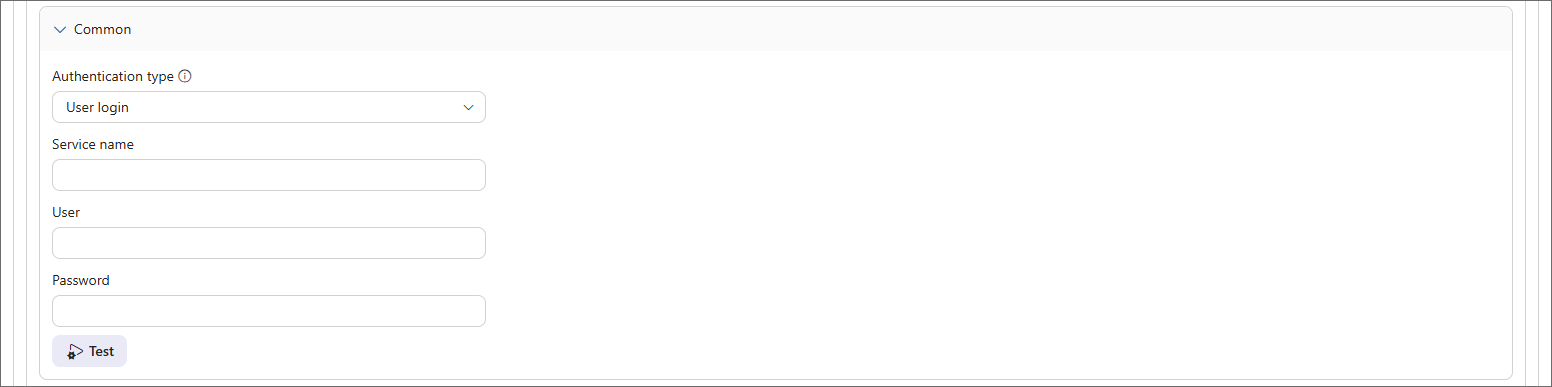
The Common section holds the default connection parameters, used by every environment unless a specific environment (DEV/TEST/PROD) has its own independent override enabled:
- Authentication type — the method used to authenticate against the Oracle server (see the table below).
- Service name — the name of the Oracle service.
- User and Password — the database user's credentials, displayed for authentication that requires a login and password.
- Test — lets you verify that the configured connection works.

Authentication type accepts one of three values:
| Value | Meaning | Displayed fields |
|---|---|---|
| User login | Authenticates using the Oracle login — requires the login and password of the database user | Service name, User, Password, Test |
| Windows Authentication | Authenticates using a Windows user account — the account used depends on the context in which the connection runs | Service name, Test |
| SDK | Authenticates using an SDK plugin | The required SDK add-on field — the other fields, including Test, are not displayed |
With Windows Authentication, the Application Pool Account is used when the connection is used in the context of the Portal (e.g. a choice field on a form powered by a data source that uses this connection), and the Service Account is used when it is used in the context of the WEBCON Service (e.g. in the configuration of a cyclical action).
DEV / TEST / PROD
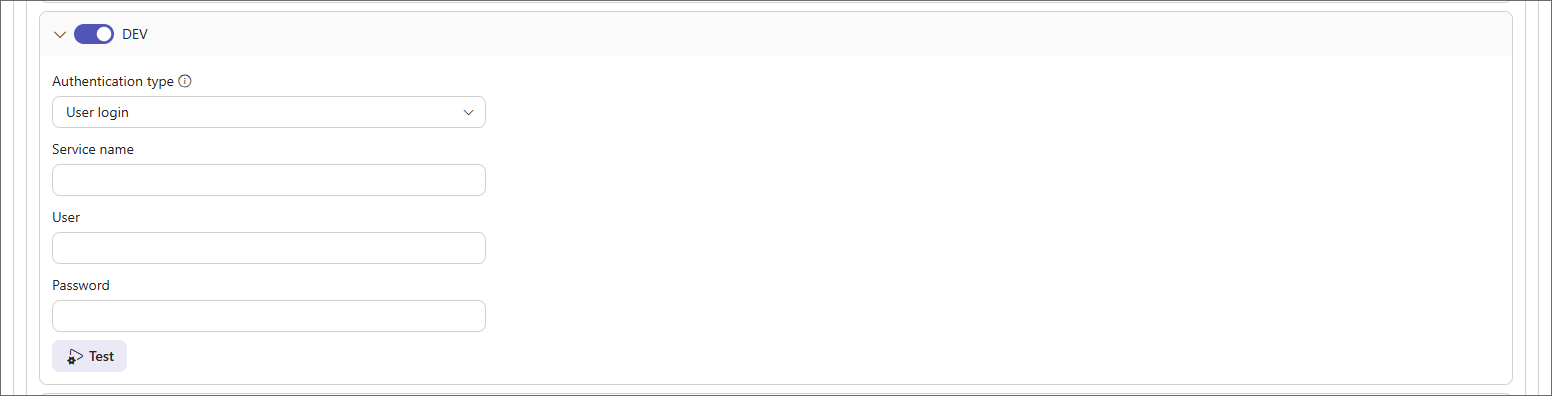
Each of the three environments (DEV, TEST, PROD) has its own switch that breaks inheritance from the Common section:
- When the switch is off — the environment inherits its connection parameters from Common.
- When the switch is on — the environment reveals the same field set as Common (Authentication type, Service name, User, Password, Test), to be filled in independently of the common values. NLS_TERRITORY and Validate connection are not part of the environment fields — they are in the Basic section.
Shared in applications
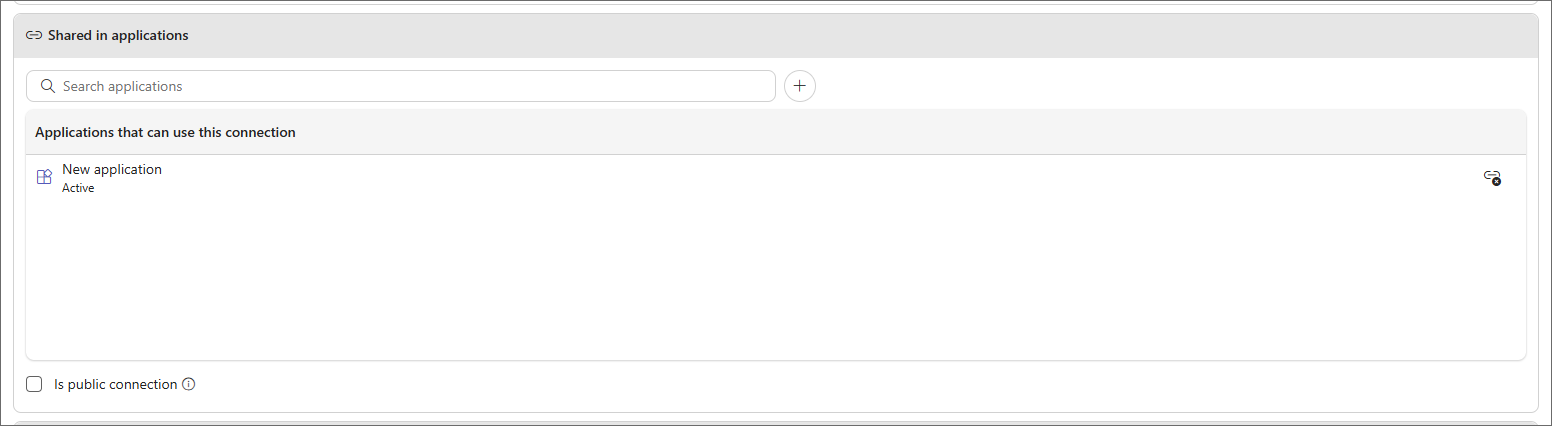
The Shared in applications section shows which applications currently use this connection. The Search applications field together with the Attach to application button lets you link the connection to another application; the Applications that can use this connection table lists the applications already linked to it, along with their status and an icon for detaching the link.
The Is public connection checkbox at the bottom of this section makes the connection available to every application in the system, so it can be used by processes running in any application — without having to link it to each one individually.
Connection owners

The Connection owners field defines which users are allowed to edit the connection's configuration and share it with further applications. Other Designer Studio users — who are neither owners of the connection nor system administrators — can still use the connection in applications it's shared with, but cannot edit its configuration.