Rating scale
The Rating scale field allows the user to select one value, treated as a rating, from a previously defined scale.
Properties
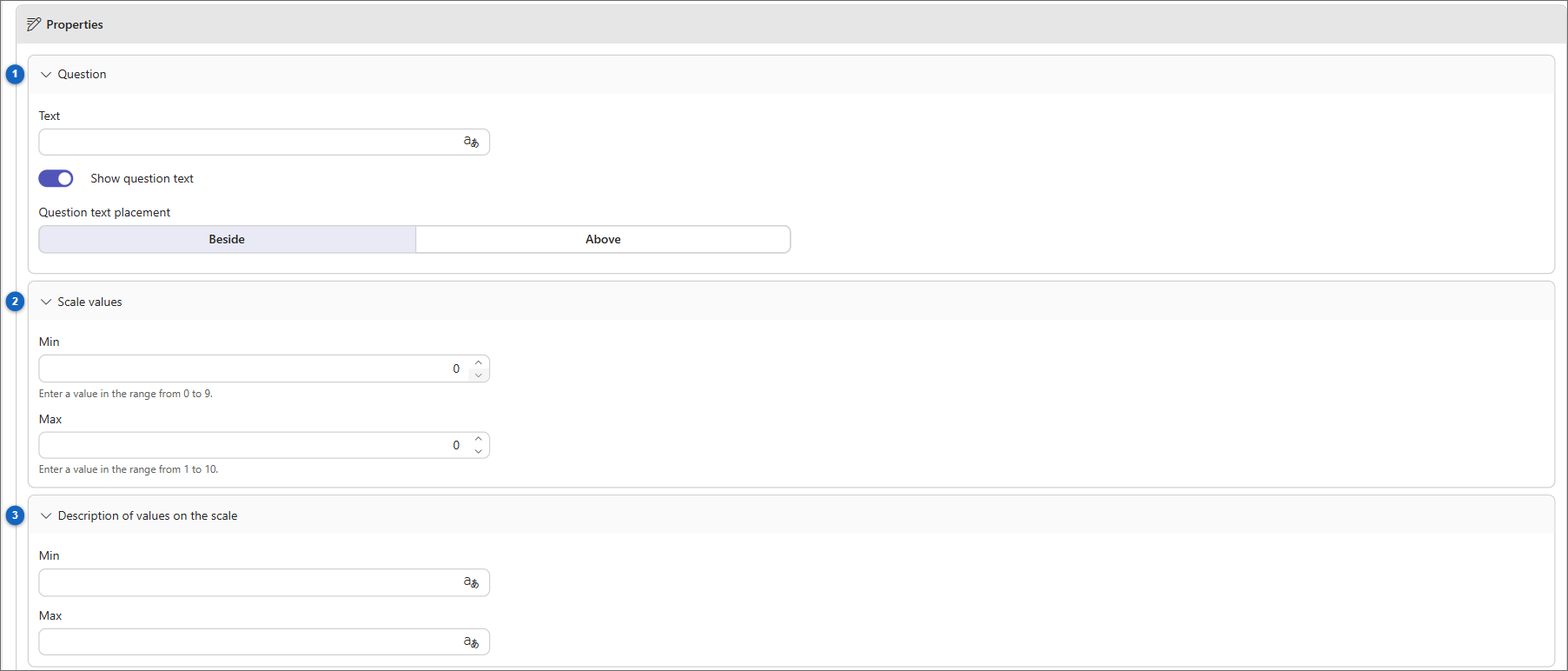
1. Question
- Text – lets you define the question content. The entered text will be displayed instead of the field name.
- Show question text – a switch (on by default) that controls whether the question text is displayed on the form. When enabled, you can also choose the Question text placement relative to the field: Beside (the default option) or Above.
2. Scale values
- Min – lets you set the minimum value that can be selected, in the range of 0 to 9.
- Max – lets you set the maximum value that can be selected, in the range of 1 to 10.
3. Description of values on the scale
- Min – the text entered in this field is displayed next to the minimum value on the scale.
- Max – the text entered in this field is displayed next to the maximum value on the scale.
tip
Translations can be defined for the Text field, as well as the Min and Max fields (in the Description of values on the scale section) — both from Designer Studio and from the form design tool in Portal. The defined translations will be displayed in the language selected in the user profile.
Example
