AI Proxy Self-hosted
AI Proxy Self-hosted enables running the AI component in client infrastructure (on-premise, private cloud, Azure). It provides full control over data and execution environment.
Architecture
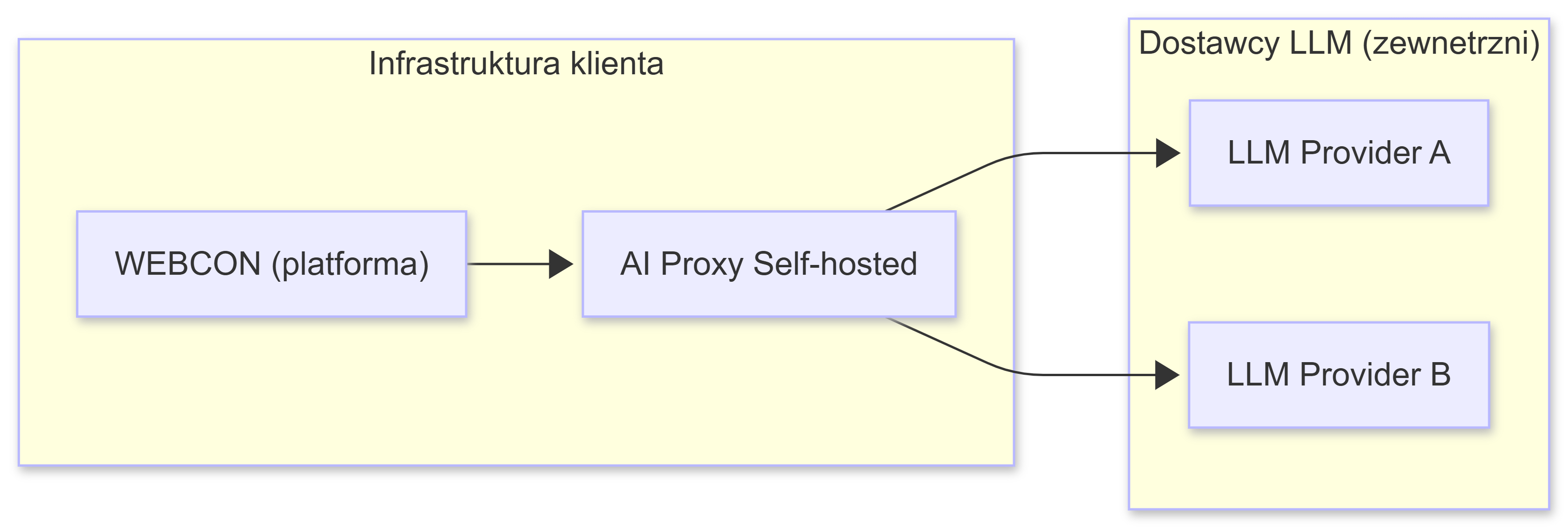
AI Proxy acts as an intermediary layer between WEBCON and AI providers:
- WEBCON sends a request to AI Proxy
- AI Proxy:
- Validates the request
- Selects the provider/model according to configuration
- Authenticates using API keys
- Forwards the request to the AI provider
- The response returns through AI Proxy to WEBCON
Use cases
Compliance and security requirements:
- Regulated industries (finance, healthcare, public sector)
- GDPR, ISO 27001 and other standards
- Internal data security policies
Development environments:
- Local testing without cloud costs
- Development and prototyping
- CI/CD integration
On-premise production:
- Full infrastructure control
- Data doesn't leave client infrastructure
- Audit and monitoring capabilities
Multi-vendor:
- Flexibility in choosing AI providers
- Failover strategies between providers
- Cost optimization
Technologies
- .NET 8 - application runtime
- Docker - containerization
- JSON - configuration
- HTTPS/TLS - secure communication
Supported providers
- Google Vertex AI (Gemini)
- Azure AI Foundry
- OpenAI
Components
- Docker image:
webconbps/aiproxy:1.0.0.235 - Ports: 8080 (HTTP), 8081 (HTTPS)
- Configuration files:
aiconfiguration.json- connections and models definitions- SSL/TLS certificate (PEM or PFX)
Next steps
- Getting Started - choose an AI provider and configure access
- Docker Configuration - run the Docker container
- AI Configuration - configure models and strategies