AI Proxy Self-hosted
AI Proxy Self-hosted allows you to run the AI component within your own infrastructure, such as on-premise, private cloud, or Azure. It provides full control over data, configuration, and the runtime environment.
Architecture
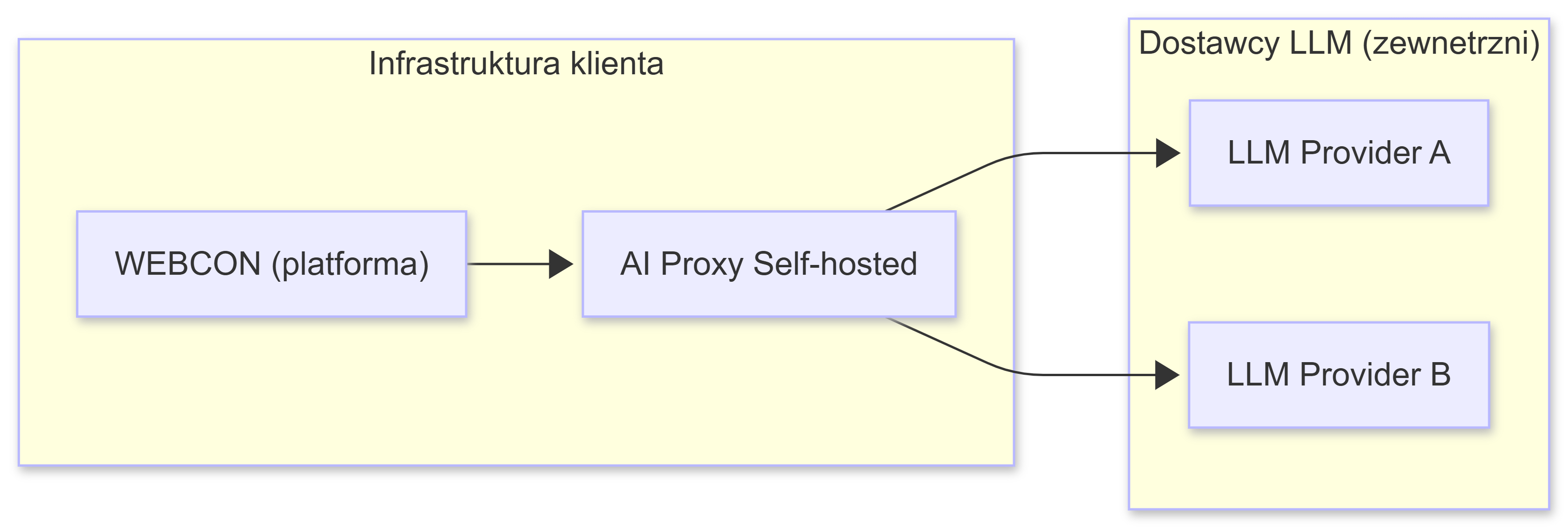
AI Proxy manages communication between WEBCON and AI services, routing requests to the appropriate providers and models.
- WEBCON sends a request to AI Proxy.
- AI Proxy:
- validates the request,
- selects the provider and model based on the configuration,
- authenticates using API keys,
- forwards the request to the selected AI provider.
- The response is then returned to WEBCON through AI Proxy.
Use cases
Compliance and security requirements:
- regulated industries such as finance, healthcare, and the public sector,
- compliance with GDPR, ISO 27001, and other standards,
- adherence to internal data security policies.
Development environments:
- local testing without incurring cloud costs,
- development and prototyping,
- integration with CI/CD pipelines.
On-premise production environments:
- full control over the infrastructure,
- data remains within the client’s infrastructure,
- support for auditing and monitoring.
Multi-vendor environments:
- flexibility in choosing AI providers,
- failover strategies across providers,
- optimization of AI service costs.
Technologies
- .NET 8 - application runtime
- Docker - containerization
- JSON - configuration format
- HTTPS/TLS - secure communication
Supported providers
- Google Vertex AI (Gemini)
- Azure AI Foundry
- OpenAI
Components
- Docker image:
webconbps/aiproxy:1.0.0.235 - Ports: 8080 (HTTP), 8081 (HTTPS)
- Configuration files:
aiconfiguration.json- connection and model definitions- SSL/TLS certificate in PEM or PFX format
Next steps
- Getting Started - choose an AI provider and configure access.
- Docker Configuration - run the Docker container.
- AI Configuration - configure models and strategies.