Local attachments
The column allows users to add local attachments to the Item list items.
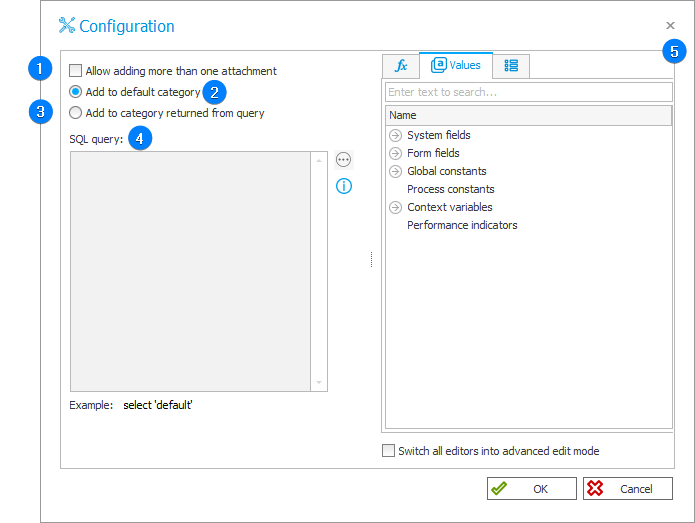
1. Allow adding more than one attachment
Selecting the checkbox allows users to add more than one attachment to an Item list item.
2. Add to default category
An attachment is added to the default attachment category.
3. Add to category returned from query
Selecting the checkbox allows you to create an SQL query that returns a category to which an attachment is to be added.
4. SQL query
The window allows you to edit an SQL query. It becomes active after selecting the Add to category returned from query checkbox.
5. Variables editor
Dynamically generated tree containing all variables that may be used in a given location in Designer Studio. Information on how to use variables in WEBCON, as well as a list of variables, can be found in a separate chapter.