The Item list column allows you to configure e-mail messages.
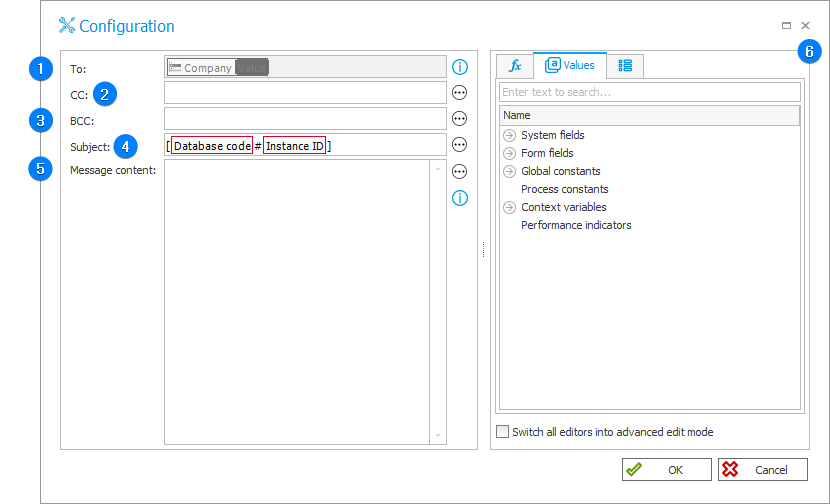
1. To
The message recipient's address which can be entered here as a variable. The address entered in this field cannot be modified at the form level.
2. CC
Carbon copy – address of a person to whom the e-mail message is to be copied. Information about delivery of the message to an additional person is visible to the message recipient.
3. BCC
Blind carbon copy – address of a person to whom the e-mail message is to be copied. Information about delivery of the message to an additional person is not visible to the message recipient.
4. Subject
The subject of the message.
5. Message content
The message content cannot contain any HTML markers – they are displayed as a standard unformatted text. If the message content uses a variable that refers to a Multiple lines of text form field in advanced mode, any HTML markers it contains will also be displayed as a plain text.
The total number of characters in the fields "To", "CC", "BCC", "Subject", and "Message content" may not exceed 2000.
6. Variables editor
Dynamically generated tree containing all variables that may be used in a given location in Designer Studio. Information on how to use variables in WEBCON, as well as a list of variables, can be found in a separate chapter.