Single line of text
The form field is used for editing and displaying text with a maximum length of 255 characters. It can be displayed in its standard form as a text or as a link or image.
The SDK and Web service actions can refer to the value of Single line of text form fields in two ways: standard (encoded) and raw (unencoded).
The basic configuration is presented in the General form field configuration.
Advanced configuration
To access additional configuration options, click the Advanced configuration button available in the bottom, right corner.

1. Standard field
Displays a standard text field.
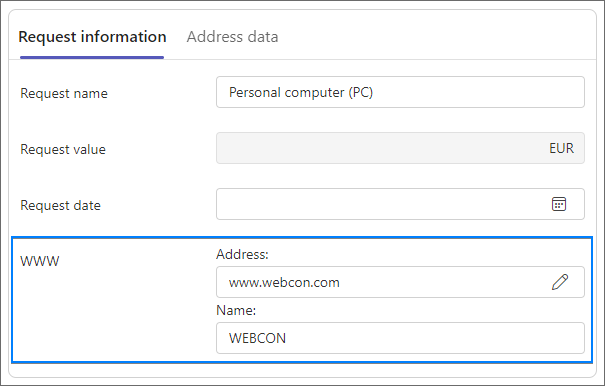
2. Hyperlink field
Displays field in link mode. There are two configuration modes available:
- if the field is editable – two text fields are displayed and allow users to edit link address and its displayed name,
- if the field is not editable – a link with a previously specified displayed name appears and directs you to the preconfigured address.
A correctly configured Default value query in this mode should return a value in the following format: "link:http://company.com;displayname:Company".
3. Open in new window
The link opens in a new browser window.
4. Image field
Displays a control in the image mode.
To display an image, the form field's default value must return the following value format: "image:/_layouts/images/workflows.gif;name:Image".
Example
Standard text field

Hyperlink field