WEBCON internal view
The WEBCON internal view data source is used to configure a data source which returns workflow instances stored in the main WEBCON content database. The configuration of the WEBCON internal view data source is similar to the configuration of reports.
A demonstrative configuration and usage of a WEBCON internal view data source is presented in the following video recording.
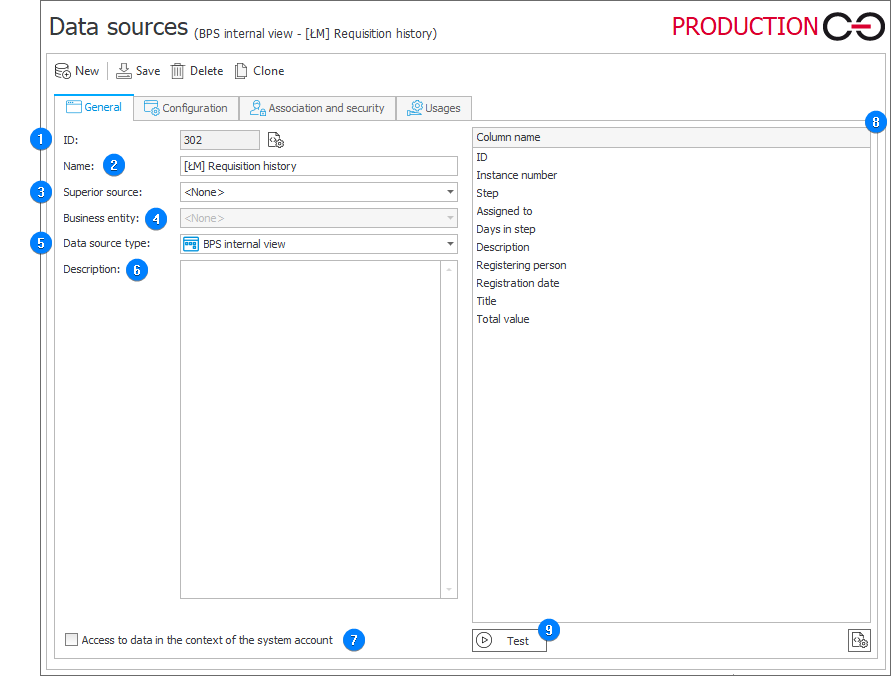
1. ID
The data source identifier (if the value is smaller than "0", the source has not been saved in the database yet).
2. Name
Name of the data source entered by the user.
3. Superior source
Each data source can contain subordinate sources which are related to a company within the system. If a superior source is referenced from a workflow instance which belongs to a specific company, and that company has a subordinate source associated with it, the query will reference this subordinate source instead. If a superior source has been defined for the source, you need to enter the name of the company for which it is defined.
4. Business entity
A business entity to which the defined source belongs. If the source has a defined business entity, entering the superior source is required.
5. Data source type
The type of the current data source. The field specifies the location from which data is retrieved.
6. Description
Description of the data source defined by the user.
7. Access to data in the context of the system account
Selecting the checkbox results in presenting the end user all data contained in the data source in form/Portal. When unselected, the current user sees only the data to which they are authorized.
10. Column name
The list is populated automatically based on the configuration entered in the Configuration tab.
The data from the WEBCON internal view data source can be returned in multiple formats, e.g.:
- steps are returned in the formats: Step name and Step name (ID);
- choice fields are returned in the formats: Field name, Field name (ID), and Field name (WEBCON format), i.e. ID#Name.
The Name (ID) format is particularly useful when creating rules, because the ID number does not change, whereas the name of a step or choice field can change, and such a change would necessitate an update to all the rules where the name is typed in statically.
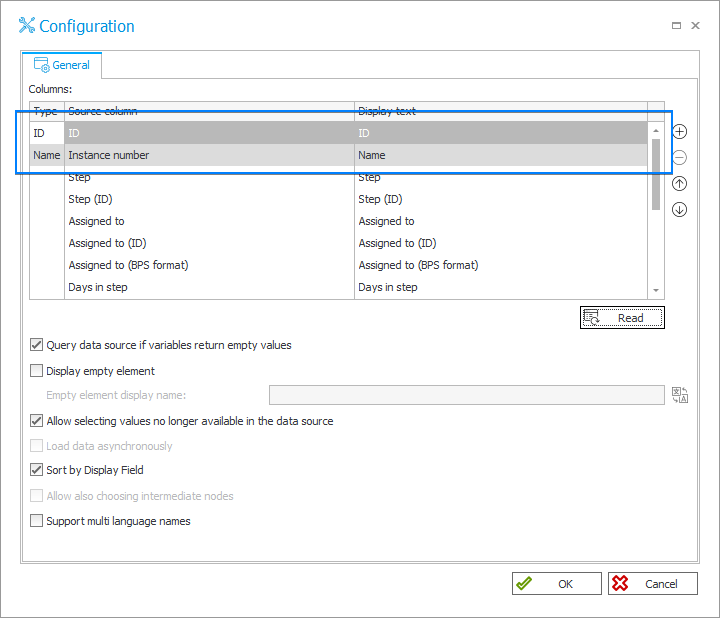
After adding the data source to a given form field, the WFD_ID and Instance number fields are greyed out in its advanced configuration, because those columns belong to the data source.
11. Test
The button executes a data source test. The test returns columns selected for instances, which the data source contains. When an error occurs, a message is displayed.