Invoke REST Web service
The action allows you to use external services that provide their APIs.
The action's configuration window has five tabs: Authentication, Request data, Request body, Response, and Error responses.
Authentication
The tab allows you to configure the connection to the Web service based on the entered credentials.
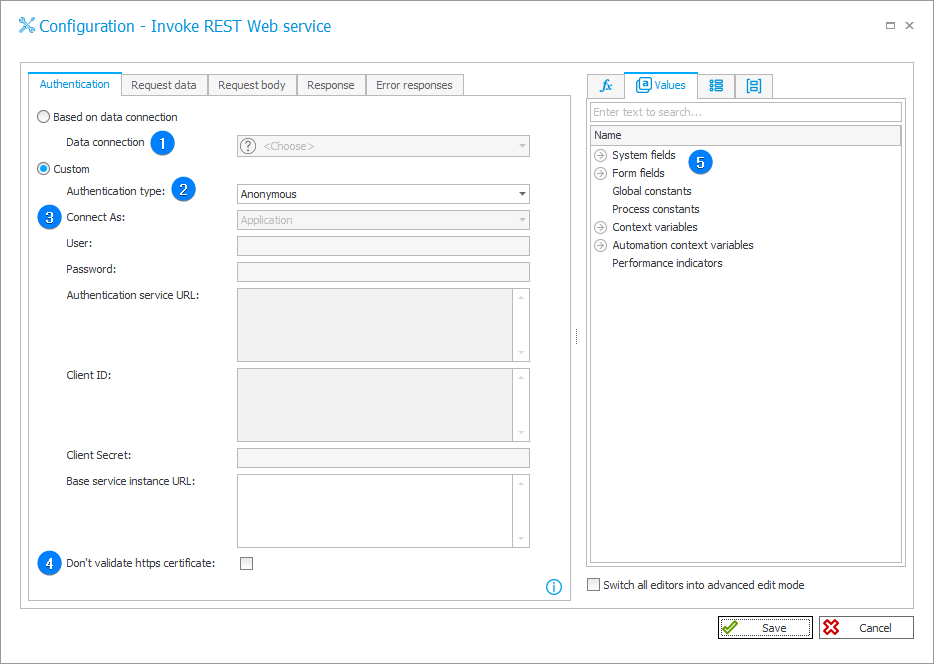
1. Connection
Field available when Based on data connection is selected. Allows you to indicate a connection from the Data source tab, if such a connection is available.
2. Authentication type
Field available when Custom is selected. The following authentication methods are available:
- Anonymous – no authentication.
- NT – domain username and password.
- Microsoft Dynamics 365 – username, password, client ID and your system instance URL.
- Salesforce – username, password (actual password combined with the so called "user secret"), client ID, client secret, system instance URL, and authenticator service URL. The action will invoke the Web service twice for this authentication.
- WEBCON BPS – client ID, client secret, base service instance URL.
- Microsoft Graph – tenant ID or authentication service URL, App ID, App Secret, base service instance URL (suggested by default).
- Microsoft Dynamics 365 on-Premises – username, password, client ID, client secret, and base service instance URL.
The availability of the tab's fields depends on the chosen authentication method.
3. Connect as
Ability to connect to the Web service as a User or an Application.
4. Don’t validate https certificate
Once selected, the digital certificate issued for the Web service will not be validated.
More information about connecting to Web services through https can be found here.
5. Variables editor
Dynamically generated tree containing all variables that may be used in the current location of Designer Studio. Information on how to use variables in WEBCON BPS, as well as a list of variables can be found here.
Request data
In this tab enter the REST request URL or its suffix.
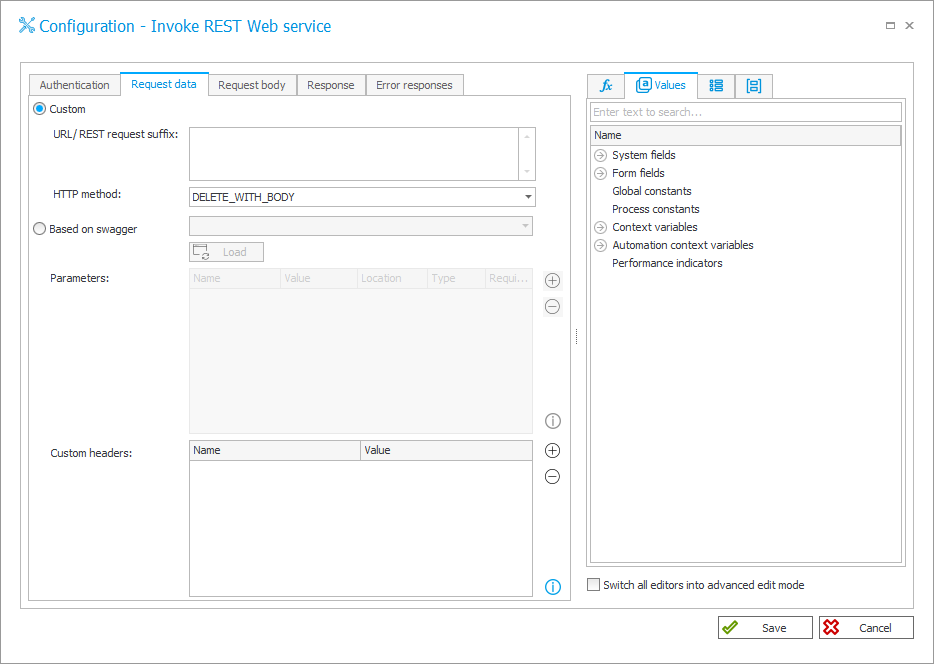
Depending on the chosen authentication method, provide a URL fragment or the full URL.
It is possible to include Custom headers and designate the HTTP protocol method to be executed.
Request body
The tab is only available if POST, PUT, PATCH, GET_WITH_BODY, DELETE_WITH_BODY are selected as a HTTP method in the Request data tab.
The provided entry data should form a correct JSON (JavaScript Object Notation). It is possible to pass the request data in a different format, but then you must set the appropriate "Content-Type" header for the message.
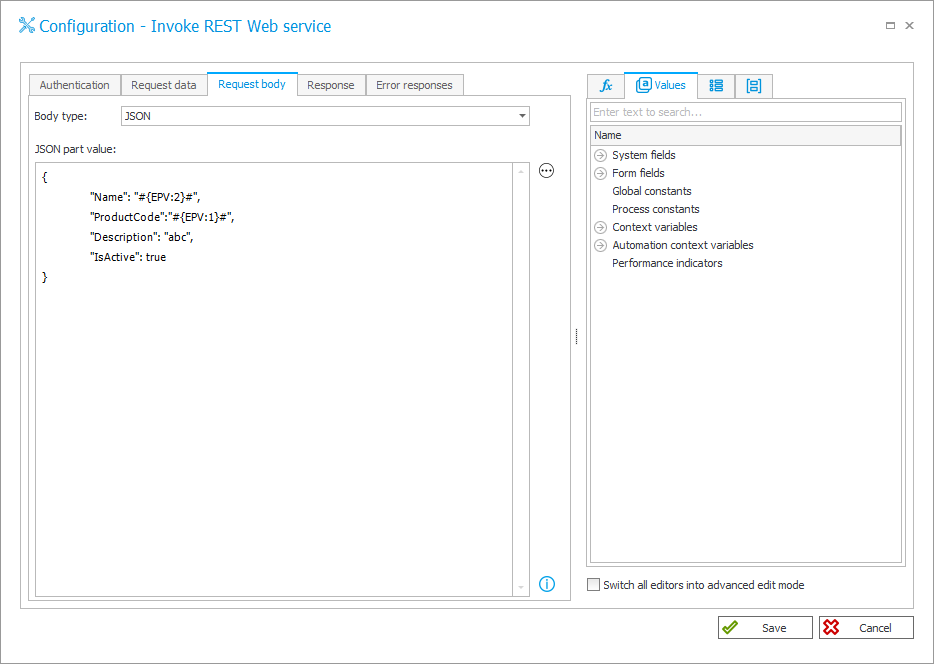
Clicking the Edit button will open a window that allows you to test the request.
Response
The tab allows you to define mappings, i.e. to indicate the form fields to which the data obtained from the HTTP request response will be saved.
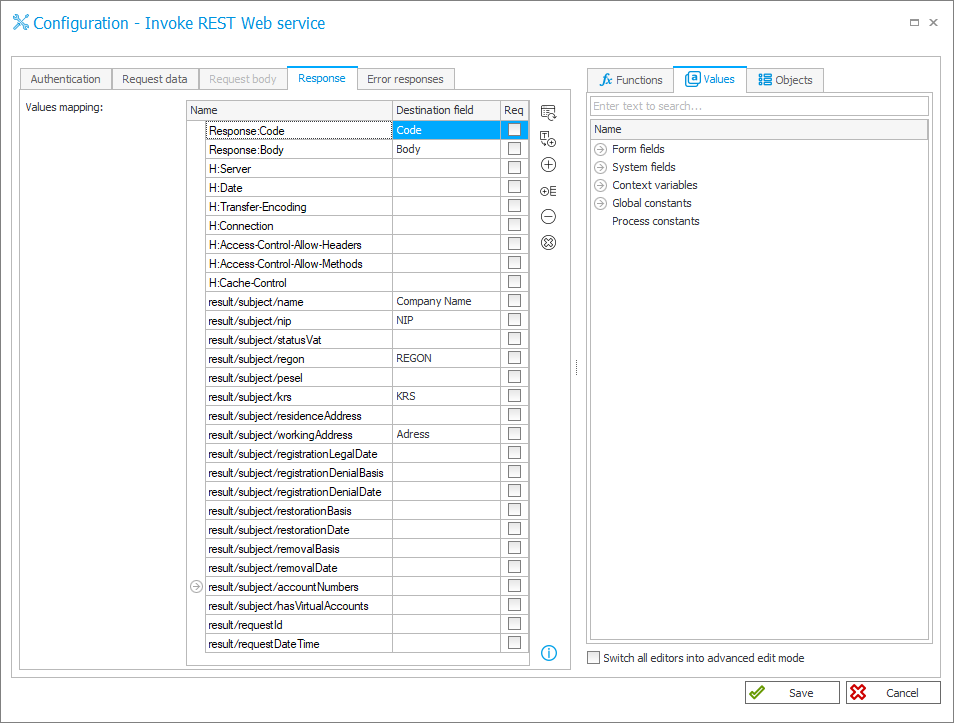
The Name column can be filled out manually or completed with all default values by clicking Load.
Loading default values results in a call to the Web service.
The Destination field column is used for assigning form fields where values will be saved. Form fields that are available can be selected from the drop-down menu that appears when clicking on a cell in the column.
Error responses
The tab allows you to configure the handling of erroneous responses. It determines the action's behavior when it encounters client application errors or HTTP server errors.
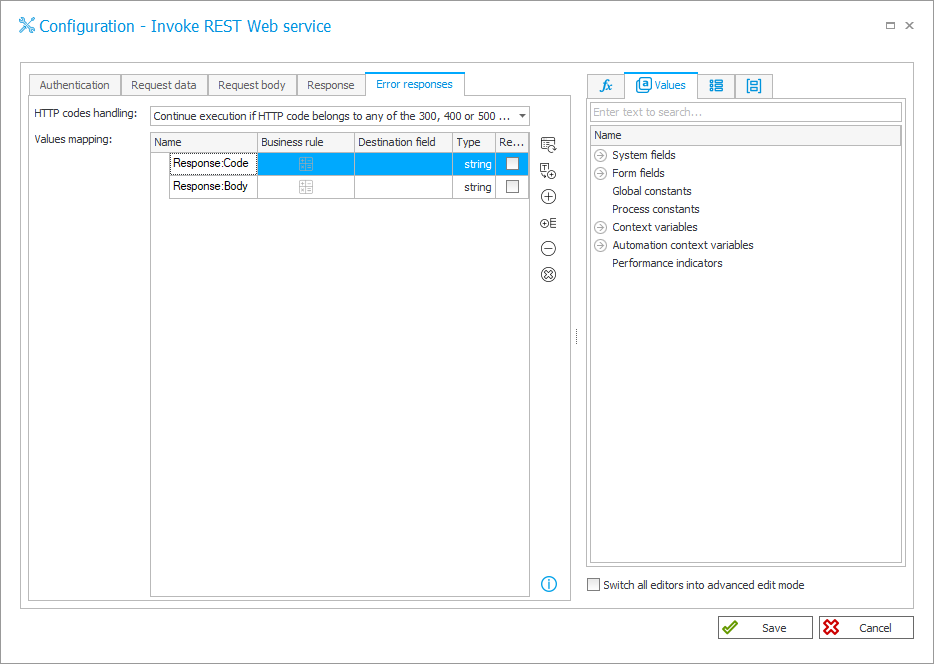
There are two options for handling HTTP codes:
- Abort execution if HTTP code belongs to any of the 300, 400 or 500 group – the action is aborted and an error message will be displayed on the form with appropriate information for the user. This is the default setting.
- Continue execution if HTTP code belongs to any of the 300, 400 or 500 group – the action is carried out on the form regardless of response class (status code).
More information about this action with examples can be found in the article The "Invoke REST Web Service" action on our technical blog.